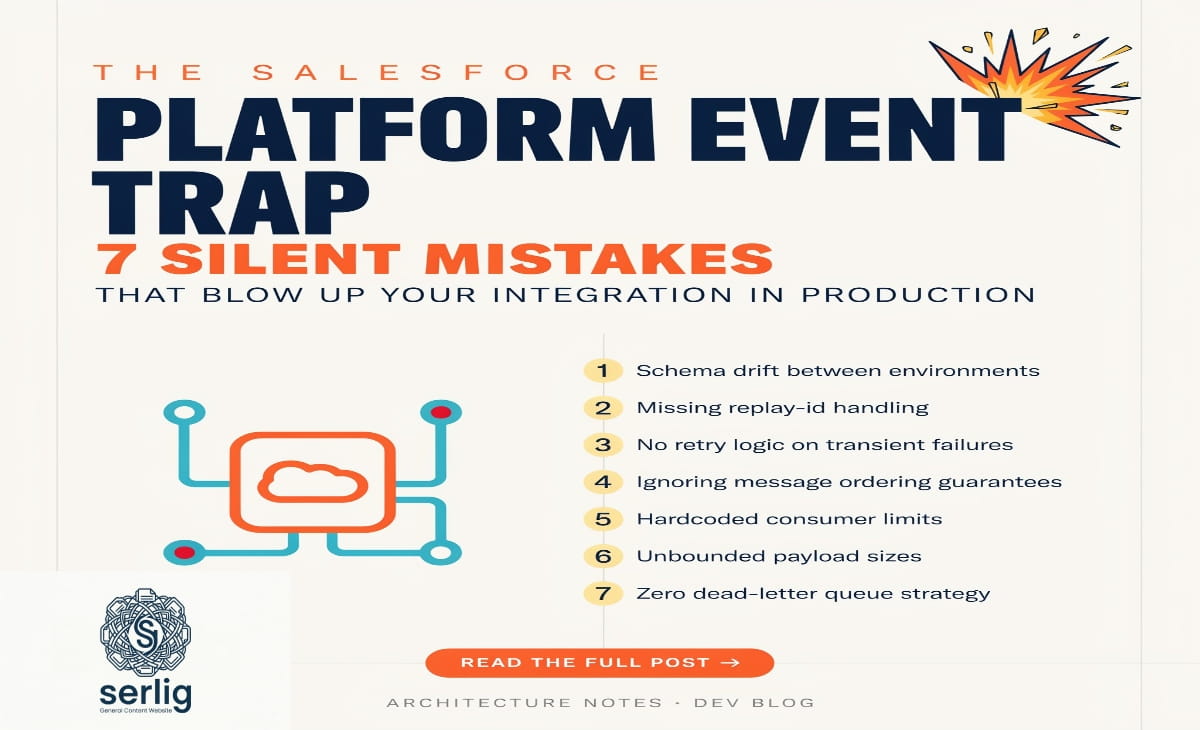
The Salesforce Platform Event Trap: 7 Silent Mistakes That Blow Up Your Integration in Production
Event-driven architecture has changed how modern software systems communicate. Instead of one application asking another for data and waiting, systems now broadcast changes as events — and subscribers react instantly. In Salesforce, Platform Event Trap power this model. They enable real-time data flows across internal components and external systems.
They are powerful, flexible, and scalable — when teams use them correctly. But there is a catch.
Across thousands of Salesforce implementations, a familiar cluster of mistakes keeps surfacing. These mistakes look harmless in development. They pass testing without complaint. Then production arrives — and everything quietly unravels. This cluster has a name: the Platform Event Trap.
Understanding it is not just useful for Salesforce developers. Every architect, administrator, and engineer building reliable event-driven systems needs to know this trap.
Quick Facts Table
| Feature | Detail |
| Platform | Salesforce |
| Architecture | Publish-Subscribe (Pub/Sub) |
| Event Storage | Event Bus (durable, configurable window) |
| Daily Publish Limit | Up to 250,000 events (license-dependent) |
| Event Retention | Default 72 hours (up to 3 days) |
| High Volume Option | High Volume Platform Events (HVPE) |
| Subscriber Types | Apex Triggers, Flows, MuleSoft, External Apps |
| Delivery Guarantee | At-least-once (NOT exactly-once) |
| Order Guarantee | None guaranteed |
| Main Trap Risk | Silent data loss in production |
What Are Salesforce Platform Events?
Before unpacking the trap, let us understand what Platform Events actually do.
Platform Events let applications — both inside and outside Salesforce — communicate through a publish-subscribe (pub/sub) model. A publisher pushes a message onto an event channel. Subscribers on that channel receive and react to the message asynchronously. The publisher never needs to know who is listening or how many there are.
This model differs fundamentally from traditional request-response APIs. In a request-response flow, System A calls System B directly and waits for a reply. The two are tightly coupled. A slowdown in B immediately creates a slowdown in A. In a pub/sub model, A fires an event and moves on. B, C, and D process it in their own time. Loose coupling makes systems easier to scale, easier to maintain, and more resilient to partial failures.
Salesforce Platform Events run on top of the Event Bus — the platform’s messaging backbone that stores and routes notifications. Subscribers include Apex triggers, Flows, external apps, and middleware tools like MuleSoft. Events are durable. They persist in the event stream for a configurable window, so transient subscriber failures do not automatically cause data loss.
The architecture is well-designed. The traps come not from flaws in the platform but from flaws in how teams approach it.
What Is the Platform Event Trap?
The Platform Event Trap is not a single bug or a specific error code. It is a collection of common misconceptions, design mistakes, and overlooked configurations. Together, they undermine the value of Platform Events and cause serious problems when systems go live.
It rarely announces itself early. Implementations that fall into this trap look fine during development. They behave reasonably in a Developer Edition or sandbox. Then production arrives — with real volumes, real concurrency, real edge cases — and things break in ways that are hard to diagnose and expensive to fix.
The trap blends several failure modes at once: data loss, performance degradation, security exposure, and unpredictable behavior. Each emerges from a different mistake. Teams often address symptoms without ever spotting the underlying pattern.
7 Core Mistakes That Create the Platform Event Trap
1. Treating Platform Events as Synchronous
Platform Events work asynchronously by design. That is not a limitation — it is the entire point. Asynchrony lets the publisher move on without waiting. It decouples systems and enables scale.
The trap springs when developers design flows that expect immediate feedback after publishing an event. A user submits a form. An event fires. The UI needs to show updated data within milliseconds. That expectation fights the model directly.
Platform Events do not guarantee instant delivery. Subscriber processing adds latency. Event volume and system load increase that delay further.
Teams that treat Platform Events as synchronous callbacks end up with confused users and broken experiences. Workarounds introduce new fragility. The fix is straightforward: use Platform Events only for decoupled background processes — order confirmations, system notifications, cross-org replication. Use Apex triggers or Lightning messaging services when immediate UI feedback is genuinely required.
2. Ignoring Delivery Guarantees and Event Ordering
Salesforce does not guarantee events arrive in the order publishers send them. It also does not guarantee exactly-once delivery. Under certain conditions, the system delivers an event more than once.
Many developers assume otherwise. They build subscriber logic that depends on events arriving in sequence. They write logic that breaks when the same event arrives twice. In development environments with low volume and no concurrency, these assumptions hold. In production, they fail.
Good design makes event handlers idempotent — processing the same event twice should produce the same result as processing it once. Teams achieve this by tracking event replay IDs or using external unique keys to detect and skip duplicates. Order-sensitive workflows need additional coordination mechanisms. The event bus alone cannot preserve sequence.
3. Disregarding Governor Limits and Volume Constraints
Salesforce limits Platform Event publishing. Standard orgs can publish up to 250,000 events per day. That ceiling varies by license type. Developer Edition environments carry significantly lower limits. Publishing high volumes without monitoring causes events to fail silently — no loud errors, just quiet drops that create data integrity problems downstream.
This trap hits hardest in integrations that handle large batch operations. A bulk data import that triggers one Platform Event per record can exhaust the daily limit before the import is halfway done. The rest of the events simply disappear.
Salesforce provides High Volume Platform Events (HVPE) for cases where standard limits fall short. Event Monitoring gives visibility into publishing patterns. Both tools solve this problem — but only if teams reach for them before limits turn into a production incident.
4. Testing Only in Limited Environments
Developer Edition orgs are good for learning and prototyping. They are not good for validating Platform Event behavior at scale. Resource limits are much lower than production. Concurrency patterns differ entirely. There is no way to simulate the subscriber load a real enterprise system generates.
Teams that test exclusively in Developer Edition environments ship implementations that work perfectly at small scale and fail under production load. Events that process cleanly one at a time may queue up, drop, or trigger governor limit violations when thousands arrive simultaneously.
The right strategy runs tests in a Full Sandbox or Partial Copy Sandbox loaded with production-representative data volumes. Load testing and stress testing belong in every release process for implementations that involve Platform Events at scale.
5. Neglecting Security Configuration
Platform Events carry data. When multiple systems subscribe to the same event channel without proper authentication and filtering, data reaches systems that should never see it. This is not a hypothetical edge case — it is a direct consequence of the pub/sub model, which stays open by design.
Many teams assume that because Platform Events are an internal Salesforce feature, security is automatic. It is not. Developers must configure field-level security, control which external apps subscribe to which channels, and validate subscriber authentication. External integrations widen the security surface further. Middleware platforms and third-party tools each need appropriate credentials and channel restrictions.
6. Poor Error Handling in Subscriber Logic
Event-driven systems fail differently from synchronous systems. When a REST API call fails, the caller receives an immediate error response and handles it in the same transaction. When a Platform Event subscriber fails, the failure happens asynchronously — often in a separate context — with no automatic retry by default.
Teams that skip robust error handling in subscriber logic create systems where failures vanish silently. An order event triggers an Apex handler. The handler hits a governor limit exception. The order goes unprocessed. No alert reaches the operations team.
Strong subscriber design includes exception handling with proper logging, alerting through Platform Event Monitoring, and — for critical flows — custom retry queues or dead-letter mechanisms to capture and reprocess failed events.
7. Infinite Event Loops
A subtle trap emerges when subscribers publish new events as part of their processing logic. If an event of Type A causes a subscriber to publish another event of Type A, and that event triggers the same subscriber again, an infinite loop floods the event bus. It can exhaust daily limits within minutes.
This pattern appears accidentally in complex automation scenarios, especially when multiple teams build components that interact through the same event channels. Prevention requires design reviews before deployment, circuit breakers inside subscriber logic, and clear documentation of which components publish and subscribe to each event type.
Why the Trap Is So Dangerous
Each mistake above causes problems on its own. Together, they share one trait that makes them truly dangerous: they pass all standard quality gates without complaint.
Unit tests pass. Functional tests pass. Code reviews raise no flags. Production arrives and reveals what those gates were not designed to catch.
This is the structural reason the trap is worth naming. The problem is not careless developers or inadequate testing. The problem is testing the wrong things. Most standard Salesforce testing practices calibrate for synchronous, transactional behavior. Platform Events introduce asynchrony, eventual consistency, and scale-dependent failure modes that those practices do not cover.
Best Practices for Avoiding the Platform Event Trap
Avoiding the trap requires disciplined design and operational habits from the start.
Design for asynchrony from day one. Never use a Platform Event in a workflow that requires synchronous confirmation. If a business process genuinely needs immediate feedback, Platform Events are the wrong tool for that step.
Make every subscriber idempotent. Every subscriber must run safely twice with the same event. Use replay IDs, external keys, or state-check logic to detect and skip duplicates.
Monitor event usage before it becomes critical. Set up Event Monitoring dashboards with alerts that fire well before daily limits are reached. Use High Volume Platform Events for channels that carry large volumes.
Test at production-representative scale. Run integration tests in Full or Partial Copy Sandboxes. Design explicit load tests that simulate peak event volumes and concurrent subscriber processing.
Treat event security like API security. Review field-level security, subscriber authentication, and channel access controls in every implementation. Apply the same rigor to event channels that teams apply to REST endpoints.
Build error handling that makes failures visible. Every subscriber must log failures in a way operations teams can see. Critical event flows need retry mechanisms and alerting for repeated failures.
Map every cross-component event flow. Before deploying automation that publishes events from inside subscriber logic, map the full event dependency graph. Verify no loops exist.
When Platform Events Are the Right Tool
Avoiding the trap does not mean avoiding Platform Events. Used correctly, they rank among the most powerful capabilities Salesforce offers.
They are the right choice for cross-system integrations where loose coupling matters. They work well for notifications that do not require synchronous confirmation, for audit trails and logging, and for any scenario where a change in one part of the system should reach multiple subscribers without direct dependencies between components.
E-commerce order fulfillment pipelines, cross-org data replication, real-time operational dashboards, and external system notifications all benefit from Platform Events. The key is entering each implementation with a clear understanding of what the platform guarantees and what it does not.
Conclusion
The Platform Event Trap is one of the most instructive concepts in Salesforce architecture. It is not about a flaw in the platform. It is about the gap between how powerful event-driven systems can be and how badly they perform when teams approach them with the wrong mental model.
Avoiding the trap means embracing asynchrony, designing for idempotency, monitoring volume limits, testing at real scale, and treating security as a first-class concern. It means recognizing that event-driven failure modes look different from synchronous failure modes — and updating quality practices accordingly.
Organizations that internalize these lessons do not just avoid the trap. They unlock the full potential of event-driven architecture: systems that scale, decouple cleanly, and stay resilient under real-world conditions.
If this topic interests you, here’s another helpful article: Nimedes: The All-in-One Digital Platform Reshaping How Businesses Work and Create
Frequently Asked Questions
What exactly is a Platform Event Trap in Salesforce?
A Platform Event Trap refers to a set of common design mistakes and misconfigurations that developers make when implementing Salesforce Platform Events. These mistakes — such as treating asynchronous events as synchronous, ignoring delivery limits, or skipping security setup — often pass development testing but cause data loss, silent failures, or performance breakdowns in production.
Can Platform Events lose data in Salesforce?
Yes. If you exceed your daily publishing limit, Salesforce drops the excess events silently without throwing errors. Events can also disappear if subscriber logic fails without proper error handling or retry mechanisms. This is one of the most dangerous aspects of the Platform Event Trap because data loss is often invisible until a business process breaks.
How do I prevent duplicate event processing in Salesforce?
Design your subscriber logic to be idempotent — meaning it produces the same outcome whether it runs once or multiple times with the same event. Track event replay IDs or use external unique keys to detect when an event has already been processed and skip it. Salesforce does not guarantee exactly-once delivery, so this logic is mandatory for reliable integrations.
What is the difference between standard Platform Events and High Volume Platform Events (HVPE)?
Standard Platform Events suit lower-volume use cases and include certain transactional guarantees. High Volume Platform Events (HVPE) handle much larger volumes and are designed for integrations where throughput is critical. HVPE does not support some subscriber types like Change Data Capture, but it raises the ceiling for high-traffic channels significantly.
How should I test Platform Events to avoid the trap?
Never rely solely on Developer Edition orgs for testing. Use a Full Sandbox or Partial Copy Sandbox that mirrors your production data volume and integration patterns. Write explicit load tests that simulate peak event volumes and concurrent subscriber processing. Test failure scenarios — including subscriber exceptions and limit-exhaustion — not just the happy path.