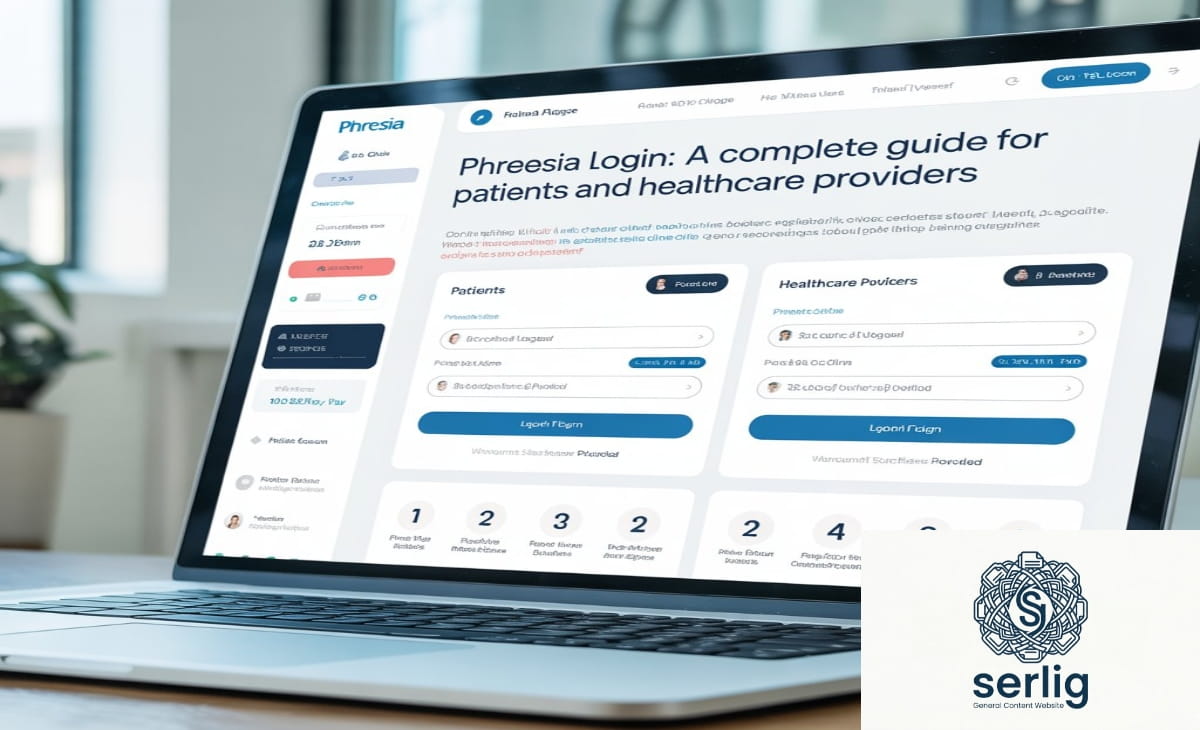
Phreesia Login: A Complete Guide for Patients and Healthcare Providers
Whether you are a patient who received a Phreesia text before your appointment, a front-desk coordinator managing check-ins, or an administrator troubleshooting a login issue — this guide covers everything you need to know about accessing and using Phreesia in 2026.
Phreesia is now the most widely used patient intake platform in the United States, and understanding exactly how its login and access system works saves real time and eliminates frustration on both sides of the healthcare encounter.
Quick Reference: Phreesia at a Glance (2026)
| Detail | Information |
| Official Login URL (Staff) | login.phreesia.net |
| Patient Access | Secure link via text/email — no app or login required |
| Founded | 2005 |
| Patient Visits Powered | 180 million in 2026 (1 in 7 U.S. patient visits) |
| Healthcare Organizations Served | 4,500+ |
| Client Recommendation Rate | 9 in 10 clients would recommend Phreesia |
| Capterra Rating | 4.3 out of 5 (based on 166 verified reviews) |
| Security Certifications | HITRUST CSF, PCI DSS Level 1, SOC 2 Type 2, HIPAA |
| Languages Supported | English, Spanish, and 20+ via VoiceAI |
| Stock Exchange | NYSE: PHR |
What Is Phreesia?
Phreesia is an AI-powered patient activation and intake platform founded in 2005. It replaces traditional paper-based check-in systems with a seamless digital experience that works across smartphones, tablets, computers, and in-office PadX kiosks.
Powering 180 million visits in 2026 alone, Phreesia is the trusted leader in patient activation. At its core, the platform allows patients to complete registration forms, update insurance information, review and sign consent documents, and pay copays — all before setting foot in a clinic.
Phreesia’s award-winning, AI-powered platform helps practices and health systems expand capacity, streamline workflows, accelerate collections and deliver modern patient experiences — without adding staff. Trusted by 4,500 healthcare organizations, Phreesia powers 1 in 7 U.S. patient visits and is proven to drive measurable operational and financial improvements.
What’s New in 2026
Several significant additions have expanded what Phreesia delivers beyond basic digital check-in:
Phreesia VoiceAI — Answer calls 24/7 with Phreesia VoiceAI, seamlessly integrated with athenahealth. Patients can schedule an appointment, request a prescription refill, and more over the phone with natural language — no menus, no hold times. Phreesia VoiceAI uses HIPAA-compliant chat and talks with patients in 20+ languages.
Appointment Accelerator — Appointment Accelerator uses AI and a custom-rules engine to offer earlier appointments via text message to patients who may otherwise have had a months-long wait, filling schedule openings within minutes. While other electronic waitlist solutions may take one or two days to fill a cancelled appointment, the average time to fill an open slot for medical practices using Appointment Accelerator is just 5.3 minutes.
Flourish (Insignia) — A behavioral health and patient engagement module now listed as an operational Phreesia product, supporting clinical assessments and patient activation for mental and behavioral health workflows.
Digital Statements — Phreesia automatically sends patients itemized digital statements as soon as their EOB is ready, helping practices boost collections after the visit by 50%.
How Patients Access Phreesia: No Traditional Login Required
This is the most important thing most patients don’t know:
you do not need to create a Phreesia account or remember a password.
Phreesia lets patients check in for appointments from their own device, no app or login required. This offers patients an easy, consistent registration experience across every care setting and service line — from scheduled procedures and emergency departments to outpatient sites, ambulatory surgery centers, and more.
How the Patient Access Process Works
Step 1: Schedule your appointment Book through your healthcare provider’s phone line, online booking tool, or patient portal as usual.
Step 2: Receive your secure Phreesia link Phreesia sends a personalized, secure link via text message or email — typically two to three days before your appointment. The message comes from your healthcare provider’s practice, powered by Phreesia in the background.
Step 3: Click the link on any device The link opens on any smartphone, tablet, or computer. No app download is needed.
Step 4: Complete your registration Depending on your provider’s configuration, you may be asked to:
- Verify or update personal and demographic information
- Confirm or add insurance details
- Review and electronically sign consent forms
- Complete clinical screening questionnaires
- Pay your copay or outstanding balance
Step 5: Arrive ready Check-in is complete before you walk through the door. Across the Phreesia network, 85% of patients check themselves in, saving 5+ minutes of staff time per visit.
For Returning Patients
The process is faster on every subsequent visit. Phreesia saves answers to demographic and clinical questions from previous visits, so you only need to confirm or update information that has changed — not start from scratch each time.
If You Didn’t Receive a Link
Check your spam or junk folder first. If the message isn’t there, contact your healthcare provider’s front desk and ask them to resend the Phreesia registration link. Staff can resend it instantly to your phone or email — and any information you have already entered is saved, so you won’t start over.
Phreesia Staff Login: Step-by-Step Instructions
For healthcare professionals and administrative staff accessing Phreesia on behalf of their organization, the login process uses a standard web browser.
Standard Login
Step 1: Open your web browser and go to login.phreesia.net — the official Phreesia staff login portal.
2 Step: Enter your username in the Username field and click Next.
Step 3: Enter your password in the field that appears.
Step 4: Click Sign In to access the Phreesia home page and dashboard.
Single Sign-On (SSO) Login
For organizations using SSO, entering your username at login.phreesia.net automatically redirects you to your organization’s Identity Provider (IDP). Authentication happens through your organization’s existing credentials — no separate Phreesia password is required.
PhreesiaAuth (SSO) is listed as an operational component of the Phreesia platform, with its status publicly trackable at status.phreesia.net.
First-Time Login and Password Setup
If you are logging in for the first time:
- Your organization’s Phreesia Administrator provides a temporary username and password
- Go to login.phreesia.net and enter those credentials
- Click Sign In — you are automatically directed to the Password Change page
- Create a new secure password. Your username will be pre-filled
- Enter the new password in both the Create New Password and Confirm New Password fields
- Note your organization’s password policy — minimum length, special characters, numbers, or uppercase letters may be required
Important: If you haven’t received your username or temporary password, contact your organization’s Phreesia Administrator — not Phreesia support directly. Staff credentials are managed at the organizational level.
Phreesia Login Troubleshooting: Every Common Issue Solved
Forgotten Password (Staff)
Use the “Forgot Password” link on the login page at login.phreesia.net. Follow the prompts to reset via your registered email. If you cannot complete the reset, contact your organization’s Phreesia Administrator.
Patient Link Not Working or Expired
Patient links are time-sensitive and tied to a specific appointment. If yours has expired:
- Contact your healthcare provider’s front desk and request a new link
- Any information you already entered is saved — you won’t start over
Portal Not Loading
If login.phreesia.net or the patient portal fails to load:
- Clear your browser cache and cookies, then refresh
- Try a different browser (Chrome, Firefox, Safari, Edge)
- Restart your device
- Try a different network (mobile data vs. Wi-Fi)
- Check status.phreesia.net to see if there is a known platform issue
- If the problem persists, contact Phreesia customer support
SSO Redirect Not Working
If the redirect to your Identity Provider fails:
- Confirm with your IT department that SSO settings are correctly configured
- Clear browser cookies and try again
- Contact your Phreesia Administrator or IT support team
Auto-Renewal Contract Issue
One recurring complaint in verified 2026 Capterra reviews is worth flagging: one client reported being told their contract auto-renewed for one year on April 1, and that they needed to cancel 60 days before their contract renewed. If you are an administrator managing a Phreesia contract, note the cancellation window and renewal dates carefully. Set a calendar reminder 90 days before your renewal date.
Key Features Available After Login (2026)
For Patients
Digital pre-registration: Complete all intake paperwork from home, eliminating waiting room paperwork entirely.
Insurance verification and updates: Add, update, or correct insurance information before your visit — reducing claim delays and front-desk bottlenecks.
Consent form management: Review and electronically sign all required consent documents before arrival.
Flexible payment options: Patients can pay with Apple Pay, Google Pay, online payments, payment plans, and card on file. Patients pay 88% of their copays at the time of service with Phreesia.
Digital billing statements: Receive itemized digital statements as soon as your Explanation of Benefits (EOB) is ready — no paper statements, no delays.
Multilingual support: Full intake available in English and Spanish. VoiceAI supports 20+ languages for phone interactions.
For Healthcare Organizations
Real-time intake monitoring: Track patient check-in status across multiple locations and service lines from a single dashboard.
AI-enabled eligibility verification: Automated, AI-enabled eligibility and benefits verification confirms coverage instantly, selects the correct copay, and flags out-of-network status.
Appointment Accelerator: The Appointment Accelerator feature has helped practices backfill up to 40% of cancelled appointments. On average, patients offered earlier appointments through Accelerator are seen 18.5 days sooner.
Phreesia VoiceAI: 24/7 AI-powered phone answering that handles appointment scheduling, prescription refill requests, and common patient inquiries — no hold times, no menus.
Clinical screening tools: Customizable intake questionnaires for behavioral health, social determinants of health, preventive care gaps, and condition-specific screenings.
EHR integration: Phreesia integrates with leading EHR and practice management systems including athenahealth, Epic, Cerner, and many others.
Two-way text messaging: Communicate with patients directly through the platform’s secure messaging tools, including appointment reminders, recall outreach, and post-visit follow-up.
Phreesia Security: What Protects Your Data
Healthcare data security is not optional — and Phreesia’s certifications reflect serious, audited commitment.
HITRUST CSF Certification
One of the gold standards in healthcare data security. HITRUST CSF demonstrates that Phreesia meets trusted benchmarks across privacy, security, and compliance controls — specifically designed for the healthcare environment.
PCI DSS Level 1 Service Provider
The highest level of payment card data security compliance. All online payment transactions through Phreesia are protected to the industry’s maximum standard.
SOC 2 Type 2 Certification
Independent auditing evaluates Phreesia’s security, availability, and confidentiality protocols over a sustained period — not just a point-in-time assessment. Type 2 is the more rigorous designation.
HIPAA Compliance
All patient data — demographic details, insurance information, medical history, and payment details — is encrypted and handled in full compliance with HIPAA regulations.
How to Review Phreesia’s Privacy Policy
Patients can review Phreesia’s complete privacy policy at phreesia.com/patient-privacy.
Phreesia on Mobile Devices
Phreesia is fully optimized for mobile without requiring an app download. The patient registration link works on any smartphone browser. The full range of intake tasks — form completion, insurance updates, consent signatures, and payment — are all available on mobile.
Mobile check-in allows patients to conveniently complete pre-visit registration on any smartphone, computer, or tablet ahead of time, in the safety and privacy of their own home, car, or personal space.
In-office, Phreesia’s dedicated PadX kiosk tablets are available in many practices for patients who prefer to check in on arrival rather than before their visit.
What Real Users Say: Verified 2026 Reviews
From verified Capterra reviews in 2025–2026:
Positive feedback patterns:
- Users praise features like reminder calls, self-check-in kiosks, digitizing patient documents, online portal payments, and customizable patient satisfaction surveys. The Phreesia team is described as knowledgeable and flexible in customizing the platform to specific practice needs.
- One clinical office manager specifically appreciated the Appointment Accelerator feature for helping backfill up to 40% of cancelled appointments.
Recurring concerns:
- Some reviewers note that Phreesia might be too expensive for smaller practices, and that customer success representatives tend to change frequently after implementation, which can be disruptive.
- The auto-renewal contract clause (requiring 60-day cancellation notice) has caught some administrators off guard.
- Some EMR data transfer issues have been noted with specific pharmacy name fields.
Overall: Phreesia has an overall rating of 4.3 out of 5 on Capterra, based on 166 reviews, and was named to the 2026 Capterra Shortlist for Appointment Scheduling.
Phreesia vs. Competitors: How It Compares in 2026
| Factor | Phreesia | athenahealth | Epic MyChart | Kareo |
| Patient intake specialization | ✅ Core focus | Partial | Partial | Partial |
| No-app patient access | ✅ | ❌ | ❌ | ✅ |
| AI appointment filling | ✅ Accelerator | ❌ | ❌ | ❌ |
| VoiceAI (24/7 phone) | ✅ | Limited | ❌ | ❌ |
| Payment at time of service | 88% collection rate | Varies | Varies | Varies |
| Multilingual support | 20+ languages (VoiceAI) | Limited | Limited | Limited |
| Best for | Mid-to-large practices | Full EHR users | Epic-integrated health systems | Small practices |
Frequently Asked Questions
Do I need to create a Phreesia account as a patient?
No. Patients access Phreesia through a secure, personalized link sent via text or email before each appointment. No account creation, password, or app download is required.
Is the Phreesia patient link secure?
Yes. Each link is unique, encrypted, and tied to your specific appointment. The platform meets HITRUST CSF, PCI DSS Level 1, and SOC 2 Type 2 security standards.
What if I didn’t receive a text or email from Phreesia?
Check your spam or junk folder first. If it’s not there, contact your healthcare provider’s front desk and ask them to resend the registration link.
Can I complete Phreesia intake on a computer instead of my phone?
Yes. The link works on any device — smartphone, tablet, or desktop computer. No app is required on any device.
Who do I contact if I’m a staff member and can’t log in?
Contact your organization’s Phreesia Administrator first. They manage staff credentials and can reset passwords or provide new login information. Do not contact Phreesia support directly for credential issues.
What is Phreesia VoiceAI?
VoiceAI is Phreesia’s 24/7 AI-powered phone system that allows patients to schedule appointments, request prescription refills, and handle common inquiries by phone using natural conversation — no menus, no hold times, and support for 20+ languages.
What is an Appointment Accelerator?
Appointment Accelerator is Phreesia’s AI tool that automatically fills cancelled appointment slots by texting clinically relevant patients with upcoming appointments and offering them an earlier time. The average time to fill a cancelled slot is 5.3 minutes, and patients are seen an average of 18.5 days sooner.
How do I check if Phreesia is experiencing an outage?
Visit status.phreesia.net to view real-time operational status across all Phreesia platform components.
Does Phreesia support languages other than English?
Yes. The patient intake platform is available in English and Spanish. Phreesia VoiceAI supports natural language conversations in 20+ languages for phone-based interactions.
What should I know about Phreesia’s contract terms?
Phreesia contracts include an auto-renewal clause. Cancellation typically requires 60 days’ written notice before the renewal date. Set a calendar reminder well in advance of your renewal date to avoid unintended auto-renewal.
You may also like this article covering a similar topic: i̇ns: The Complete Guide to Instagram — The World’s Most Powerful Visual Platform
The Bottom Line
Phreesia has grown from a digital intake tool into a comprehensive patient activation platform. Phreesia enabled approximately 170 million patient visits in 2024 — 1 in 7 visits across the U.S. — scale that allows it to make meaningful impact across patient-driven digital solutions for intake, outreach, education and more.
For patients, the key takeaway is simple: you do not need an account, a password, or an app. Click the secure link that arrives before your appointment, complete your registration at your convenience, and arrive ready for your visit.
For healthcare staff and administrators, login.phreesia.net is your access point — and this guide covers every troubleshooting scenario you’re likely to encounter. The platform’s 2026 additions — VoiceAI, Appointment Accelerator, digital statements, and expanded AI eligibility verification — make it the most capable version of Phreesia yet.
Understanding how the platform works, on both sides of the healthcare encounter, is the first step toward getting full value from it.
Useful Phreesia Links:
- Staff login: login.phreesia.net
- Platform status: status.phreesia.net
- Patient privacy policy: phreesia.com/patient-privacy
- Investor relations: ir.phreesia.com
Updated May 2026. All statistics and feature information verified against Phreesia’s official website, Capterra verified reviews, GetApp listings, and investor communications current as of this date.